
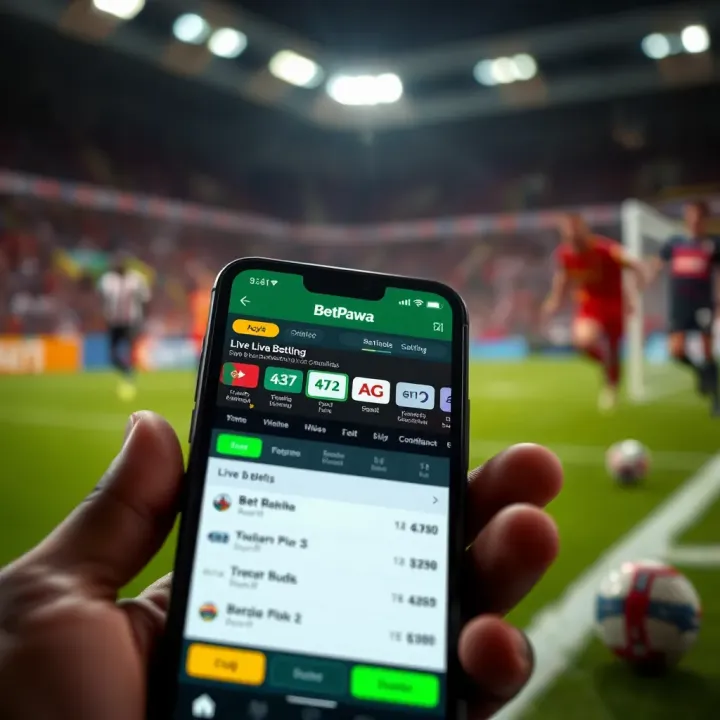
BetPawa Spaceman Demo: Features, Gameplay & Tips
Explore BetPawa Spaceman Demo 🚀 and learn game features, betting strategies, and gameplay tips to boost your chances of winning safely while having fun online in Nigeria 🇳🇬.
Edited By
Yetunde Afolabi
The Betpawa app is popular among Nigerian bettors, but like any app, it can face issues that disrupt its performance. Problems such as failure to load, login errors, or delays in placing bets can be frustrating, especially when you want to enjoy quick and seamless betting. Understanding common causes and practical fixes will help you get back on track without wasting time.
Several factors can cause the Betpawa app not to work properly in Nigeria. Network instability remains a leading problem. Slow or fluctuating internet connections, especially on mobile data or during peak hours, can interrupt communication between your device and the app’s servers. Another frequent issue is outdated app versions that lack the latest technical improvements or bug fixes.

Technical glitches also arise from cache build-up or corrupted app data. Excessive cache can slow down the app or lead it to freeze while loading recent games or betting options. Account-related troubles, such as incorrect login credentials, blocked accounts, or verification delays, can also prevent access.
To troubleshoot, start by checking your internet connection. Switch between Wi-Fi and mobile data to see if the app reacts differently. Next, clear the Betpawa app cache and, if needed, reinstall the app to ensure you have the newest version. On Android devices, navigate to Settings > Apps > Betpawa > Storage and tap ‘Clear Cache’. On iOS, uninstall and reinstall from the App Store.
For login problems, reset your password using the "Forgot Password" feature, and ensure you enter your BVN (Bank Verification Number) or phone number correctly. If your account is blocked, contacting Betpawa’s customer support through their in-app chat or official email is necessary.
Regular app updates and proper device maintenance prevent many common issues. Allow the Betpawa app to access sufficient storage and run on compatible operating system versions to avoid unexpected faults.
By understanding these common scenarios and steps, Nigerian users can fix most Betpawa app problems quickly. The key is to verify your network connection, clear outdated data, and confirm your account details. When issues remain, reaching out to official support guarantees the best assistance.
Recognising common symptoms when the Betpawa app stops working helps you pinpoint the problem quickly and saves time in fixing it. This section highlights key signs to watch out for—ranging from app crashes to transaction failures—so you understand what’s going wrong and how it affects your betting experience.
The Betpawa app may close unexpectedly while you’re placing a bet or browsing options. This can be frustrating, especially in live betting situations where timing is tight. Sudden closure usually points to app glitches, device memory shortages, or software conflicts. For instance, if you’re scrolling through upcoming matches and the app just shuts down without warning, it could mean the app is struggling to run smoothly on your device.
Sometimes, the app opens but the screen remains frozen, refusing to load content or respond to taps. This freeze can leave you stuck on the login page or betting dashboard with no way forward. It’s often caused by insufficient device RAM, network delay, or corrupted app data. When this happens, you can’t interact with the app, so your betting plans get disrupted.
Login troubles are a common headache. You might enter your credentials but see error messages like "Invalid password" or "Cannot connect to server". This problem could stem from network issues, incorrect input, or account suspension. For example, if your phone’s data connection is weak, the app may fail to verify your details, blocking access.
When you forget your password, Betpawa’s reset feature should help regain access smoothly. However, failure to receive the reset email or link problems sometimes block users. These glitches can be linked to email provider restrictions, server delays, or incorrect email address association. Without resetting your password, you’re locked out, which can seriously disrupt your betting activities.
Trying to place a bet only to see error notifications or no confirmation means your wager didn’t go through. This symptom often relates to unstable internet, server timeouts, or app bugs. Imagine betting on a derby match and the system doesn’t record your stake—this not only wastes time but can cause missed opportunities for winning.
Delays in processing deposits or withdrawals can upset users who rely on prompt access to funds. Nigerian users especially feel this pinch when timing is critical, such as during frequent matches or ember months spending. These delays might arise from bank processing times, payment gateway issues, or manual verification holdups.
Identifying these symptoms early can guide your troubleshooting steps, making it easier to restore the Betpawa app’s proper function without missing out on your betting chances.
Understanding the technical reasons behind Betpawa app issues in Nigeria helps users quickly identify the root of their problems. Most app failures link back to network troubles, outdated software, or server issues. Recognising these factors equips you to troubleshoot effectively, reducing frustration and downtime.
Slow or unstable internet connections often cause the Betpawa app to load slowly, freeze, or fail altogether. Many users rely on mobile data within areas that suffer from poor network coverage or spotty broadband at home. For example, if your 4G signal fluctuates or drops to 3G or edge, your bets might not register, leading to errors or failed submissions. Without a steady connection, the app struggles to communicate with Betpawa’s servers, spoiling the experience.

Telecom provider interruptions also play their part. Nigerian networks sometimes undergo outages due to infrastructure faults, maintenance, or service congestion, especially during high-demand periods like major football matches. If the telco servicing your line faces these hiccups, the Betpawa app won’t function properly, even with a full signal bar. These disruptions interrupt data flow to and from the app, causing delays or loss of transaction data.
Using outdated app versions significantly impacts performance. Betpawa regularly releases updates to fix bugs, improve speed, and adjust compatibility. Sticking with an old app build means you miss these fixes and may face crashes or login troubles. For example, a version from last year might not handle the current Nigerian payment gateways properly, causing withdrawal delays.
Device storage and RAM capacity are common hidden culprits. If your smartphone is almost full, or several apps run simultaneously, the Betpawa app may slow down or freeze. Users with older or low-end devices often experience this since their hardware struggles to manage memory-intensive apps. Clearing storage space or closing background apps can alleviate these problems.
Operating system (OS) compatibility matters too. Betpawa designs its app for recent Android and iOS versions. Running the app on an OS older than two or three years might cause glitches, since the required libraries or security features are missing. For instance, a user with Android 6.0 might find some app features unresponsive because the system no longer supports modern encryption methods.
Betpawa schedules periodic server maintenance to upgrade systems or fix security issues. These scheduled downtimes are usually announced through the app or their website, lasting for a few hours. During these times, users can't place bets or access their accounts, which can be frustrating without prior notice. Keeping an eye on official channels ensures you don’t waste time trying to access a temporarily offline service.
Unexpected server outages happen too, caused by sudden spikes in traffic, hardware failures, or cyber-attacks. Unlike planned maintenance, these can last longer and disrupt many users simultaneously. When this occurs, the app may display error messages or fail to load data like bet history or wallet balance, making betting impossible until service restoration.
Always check your network quality and keep your app updated. Knowing when Betpawa servers are offline can save you from unnecessary worry or repeated error screens.
In summary, network instability, outdated software or incompatibility, and server downtime cover most technical issues Betpawa users face in Nigeria. Addressing these areas first usually restores smooth betting operations.
When the Betpawa app misbehaves, knowing practical fixes can save you from missing out on bets or losing valuable time. These fixes often restore smooth operation without needing technical support, especially in Nigeria where network and device issues are common. Quick remedies like updating the app, managing device space, or sorting connectivity problems address the core reasons why the app may not function properly.
Keeping your Betpawa app updated ensures you have the latest features and bug fixes. On Android, check for updates via the Google Play Store by opening the app page and tapping "Update" if available. On iOS, head to the App Store, go to your profile, and look under "Available Updates" to refresh the app. Updates often fix compatibility issues and improve performance, making them essential in areas with frequent software glitches.
If updating does not resolve problems, reinstalling the app might be necessary. Uninstall Betpawa completely and then download the latest version afresh from official sources. This clears corrupted files or improper installations that sometimes cause crashes or login failures. Reinstallation also gives a clean slate, especially helpful after switching devices or OS upgrades.
App caches build up over time, which can slow down performance or cause freezes. On Android devices, navigate to Settings > Apps > Betpawa > Storage, and tap "Clear Cache" to remove temporary data without deleting your account info. On iPhones, clearing app cache isn’t direct, but reinstalling the app achieves the same effect by removing cached data.
Betpawa requires enough free storage to operate smoothly. Phones with nearly full storage can stall apps or cause crashes. Regularly delete old files, unused apps, or large videos to free space. A device with at least 500MB free will generally handle betting apps better, reducing lag and transaction errors.
Persistent network problems often disrupt Betpawa’s connection to servers. Switching between Wi-Fi and mobile data helps determine if the issue is with your current network. For instance, if your mobile data is slow, connect to a stable Wi-Fi hotspot, or vice versa. This workaround is especially useful in Nigerian cities where network strength can vary street to street.
Resetting your network settings can also fix connection glitches that block app operations. On Android, go to Settings > System > Reset Options > Reset Wi-Fi, mobile & Bluetooth. On iOS, find Settings > General > Reset > Reset Network Settings. Remember, this will erase saved Wi-Fi passwords and paired Bluetooth devices but often restores fresh connectivity, helping Betpawa communicate properly with its servers.
Always start with basic troubleshooting—updates, cache cleaning, and network checks often resolve most app issues without the need for technical support.
Ensuring your Betpawa account is active and secure is often the first step when the app refuses to work properly. Account-related problems can easily disrupt your betting experience, so verifying your credentials and understanding any restrictions is crucial. These checks not only help you regain access quickly but also protect you from unauthorised use.
Confirming active account registration means checking that your Betpawa account is properly set up and not expired or deactivated. Sometimes users think the app is faulty when in fact their accounts have been suspended due to inactivity or verification issues. For instance, if you haven't completed the Know Your Customer (KYC) process, the platform might block certain features until you submit valid identification documents.
Regularly logging in and ensuring your registration details are current helps avoid unexpected lockouts. If you find login attempts failing repeatedly, it’s wise to visit your account profile—either through the app or website—to confirm your registration remains in good standing.
Resetting forgotten passwords securely is essential when you cannot access your Betpawa account due to lost or forgotten credentials. Instead of trying multiple wrong passwords that could trigger a lockout, use the app’s password reset feature. This usually involves receiving a reset link or code via your registered email or phone number.
Avoid shortcuts like using generic or reused passwords to prevent hacking risks. A secure reset increases your chances of quick recovery while safeguarding your funds and personal data.
Accounts may face temporary or permanent bans for reasons like violating Betpawa’s terms of service, using fake IDs, or suspicious betting activities detected by the system. For example, multiple rapid bets from different locations may flag your account for review. Similarly, involvement in fraud or attempts to manipulate betting outcomes can lead to accounts being frozen.
Understanding why your account is restricted helps in resolving the issue effectively. Sometimes, temporary bans only need you to wait out the duration or complete additional verification steps.
If you run into problems, contacting Betpawa support for account issues is the next practical step. The app provides customer service channels including email, live chat, and hotline numbers. When reaching out, provide concise details of your problem and any error messages.
Patience and clear communication with Betpawa’s support team can speed up resolution, especially when your account has been suspended mistakenly or requires urgent reactivation.
Keep your account details updated and use secure login methods. Checking your account status should be part of your routine, especially if the Betpawa app starts acting up unexpectedly.
By handling these account and security checks, you put yourself in the best position to enjoy smooth betting sessions without unnecessary interruptions.
Maintaining smooth operation on the Betpawa app goes beyond just fixing glitches when they appear. Consistent care helps avoid crashes, lag, or login issues, which can be frustrating especially during key betting moments. With proper habits, you reduce downtime and improve your chances of uninterrupted play.
Keeping your Betpawa app up to date ensures you have the latest features and security fixes. Developers frequently patch bugs in newer versions — for instance, an update may resolve login errors or improve bet placement speed. Similarly, updating your phone’s operating system stabilises performance, as outdated software might struggle to run recent app versions smoothly. On Android devices, go to the Google Play Store and check for Betpawa updates regularly; iPhone users should do the same via the App Store. Remember, allowing automatic updates during off-peak hours can save time and give the app a fresh start whenever you need it.
A steady internet connection is the backbone of any betting app. Frequent drops or slow speeds cause app freezes or failed transactions. It's wise to monitor your connection quality, switching between Wi-Fi and mobile data as necessary. For example, if your home Wi-Fi gets unstable during peak hours (evenings or ember months, when many users are online), switching to a reliable 4G or 5G mobile network can help keep your bets live. Also, avoid heavy data traffic times if possible; placing bets early or late in the day reduces the risk of network congestion affecting your bets.
Your account security directly impacts your Betpawa experience. Protect your login details by using strong, unique passwords and enabling any two-factor authentication options the app offers. Avoid storing passwords on shared devices or using obvious sequences. Always access Betpawa through secure networks — public Wi-Fi hotspots, like those in malls or cafes, pose risks of data interception. If you must use such networks, consider a VPN service for added safety. Remember, a compromised account can lead to betting disruptions or worse, financial loss.
Consistent updates, good internet hygiene, and careful handling of credentials are practical ways to prevent most app issues before they occur, ensuring you enjoy a reliable Betpawa experience every time.
By adopting these simple yet effective habits, you keep the Betpawa app running smoothly and reduce frustration caused by preventable problems. It also means you can focus more on your bets and less on troubleshooting.
Knowing when to contact Betpawa’s official support services is key to keeping your betting experience smooth. Some problems, like app crashes or login errors, might be solved quickly on your own. However, if you encounter persistent issues, such as repeated account restrictions, unexplained transaction failures, or if you suspect your account has been compromised, it's wise to reach out to Betpawa's support for expert help. This prevents frustration and ensures your funds and data remain safe.
The Betpawa app includes a Help Centre packed with frequently asked questions (FAQs) that cover a broad range of common issues. Before reaching out directly, checking this resource can save you time. For instance, many users experiencing password reset problems or bet placement errors find clear step-by-step guides here. The FAQ section answers questions in straightforward language, helping you troubleshoot without waiting for support responses. Regularly consulting this self-help area is a practical first step whenever you face a technical hiccup.
If the Help Centre doesn't resolve your issue, emailing Betpawa’s customer service is an effective next move. Email allows you to provide detailed explanations and attach screenshots or error messages, making it easier for support agents to understand and address your specific problem. For example, if your account has been locked due to security reasons, an email inquiry can start the verification and unlocking process. Response times typically vary, so it's best to keep your messages clear and concise.
For immediate assistance, Betpawa offers live chat within the app and hotline numbers for direct calls. Live chat is especially helpful during active betting sessions when you need quick answers or face sudden glitches like failed bet submissions. Hotline calls are suitable for complex issues requiring detailed conversations, such as withdrawal delays or clarifications about account status. These channels connect you directly with support agents who can take prompt actions, reducing downtime and possible losses.
When you report technical problems, be precise about what you experienced—include the type of device, operating system, app version, and steps that led to the fault. This detailed feedback improves the chances of a swift solution. Also, keep records of your communication and reference numbers from support tickets. Following up regularly if issues persist ensures your case stays active and encourages Betpawa to prioritise your problem. Remember, persistence and clarity often speed things up.
Prompt contact with official support not only resolves your immediate challenges but also helps Betpawa improve the app experience for all users in Nigeria.
Reaching out at the right time and through the appropriate channels maximises your chances of fast, effective resolution to Betpawa app issues.
Explore BetPawa Spaceman Demo 🚀 and learn game features, betting strategies, and gameplay tips to boost your chances of winning safely while having fun online in Nigeria 🇳🇬.
Based on 15 reviews